
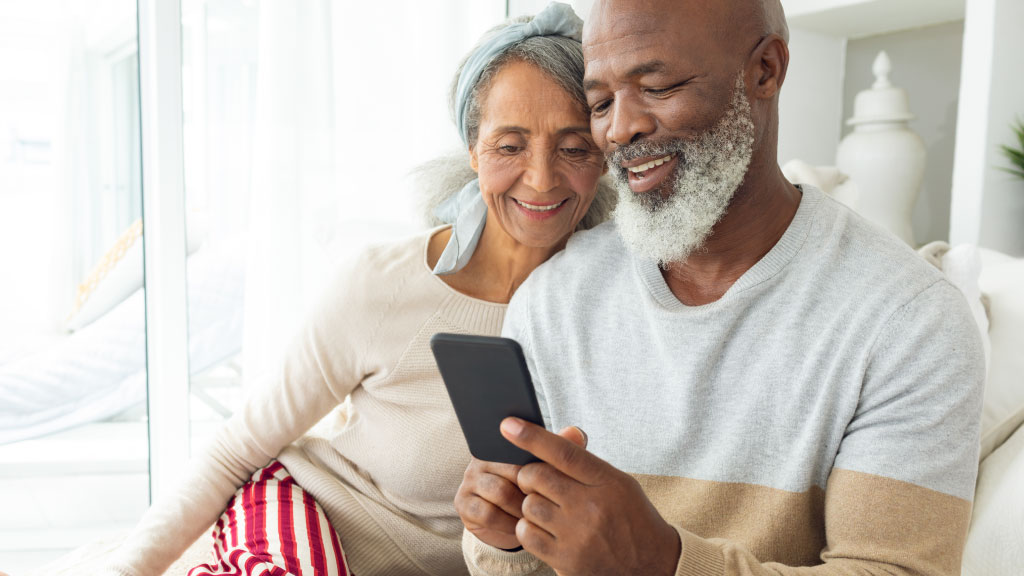
7 simple to use phones for seniors
A phone should not make daily life harder. For many older adults, the real problem is not technology itself – it is a phone that feels cluttered, hard to hear, hard to read, or frustrating to use when you need it most. That is why so many families start looking for simple to use phones for seniors, not flashy devices packed with features they may never want.
The good news is that a simpler phone does not have to mean giving up reliability. The right phone can make calling, texting, checking voicemail, and reaching help feel straightforward again. The trick is knowing what actually makes a phone easier to use, and what only sounds helpful on the box.
What makes simple to use phones for seniors easier?
Most people assume a simple phone is just one with fewer features. Sometimes that is true, but ease of use usually comes down to design choices. A phone can have plenty of useful functions and still feel manageable if the basics are clear.
Screen readability matters first. Large text, strong contrast, and bright displays can make a major difference for anyone with vision changes. Tiny icons and low-contrast menus may look modern, but they often slow people down and create unnecessary mistakes.
Audio matters just as much. A phone with loud, clear speakers, strong call volume, and hearing aid compatibility will often be easier to live with than one that only looks simple. If a person struggles to hear the ringtone, the caller, or voicemail prompts, the phone is not truly senior-friendly.
Then there is navigation. Clear menus, fewer steps, and predictable buttons reduce stress. Many older adults do well with a phone that keeps the most common tasks front and center – calls, contacts, messages, camera, and emergency help. Complicated settings buried under layers of menus tend to create frustration.
The 7 types of simple to use phones for seniors
There is no single best choice for everyone. The right fit depends on eyesight, hearing, hand strength, comfort with touchscreens, and whether the phone is mainly for emergencies or everyday use.
1. Basic flip phones
For many seniors, a flip phone is still the easiest option. It opens to answer, closes to hang up, and usually avoids the constant notifications and app clutter that come with smartphones. Physical buttons can also be easier for people who do not like touchscreens.
A flip phone works especially well for someone who mainly wants calls, basic texts, and a dependable battery. The trade-off is that texting is usually slower, and features like maps, video calling, or picture sharing may be limited.
2. Large-button cell phones
Some phones are built around oversized keys, simple home screens, and direct access to contacts. These models help seniors who have arthritis, reduced dexterity, or trouble seeing small labels.
The best ones pair large buttons with loud sound and straightforward menus. Large buttons alone are not enough if the software still feels confusing.
3. Simplified smartphones
Not every senior wants a basic phone. Some want email, photos, navigation, and video calls with family, but without the usual clutter. A simplified smartphone can be a strong middle ground.
These phones usually have larger icons, cleaner home screens, and settings designed to reduce confusion. They can be a good match for older adults who are comfortable learning a few basics and want more than calling and texting.
4. Phones with emergency features
Some seniors or caregivers place emergency access at the top of the list. In that case, a phone with an SOS button, emergency contacts, location sharing, or medical alert integration may make sense.
That extra peace of mind can be valuable, especially for someone living alone. The trade-off is that emergency-focused phones can sometimes feel more specialized and may offer less flexibility for everyday smartphone tasks.
5. Hearing-friendly phones
A phone can look easy to use and still be difficult if call quality is weak. Seniors with hearing loss often need amplified volume, clear speakerphone performance, less distortion, and hearing aid compatibility.
If hearing is a concern, this should not be treated as a minor detail. A phone that supports clear conversations will do more for daily confidence than a long list of extra features.
6. Voice-command friendly phones
Some older adults find touch navigation tiring, but do very well with voice assistance. A phone that lets you place a call, send a text, or ask for the weather by speaking can remove a lot of friction.
This works best for seniors who are comfortable talking to the device and have reliable service. It may be less useful in noisy settings or for people who prefer physical controls.
7. Familiar phones with simplified settings
Sometimes the best phone is not a brand-new one at all. If a senior already has a phone they recognize, adjusting the text size, ringtone, home screen, and accessibility settings may be enough.
This is often overlooked. Familiarity matters. Learning a totally new device can be harder than making an existing one easier to use.
How to choose the right phone without overpaying
It helps to begin with daily habits, not product marketing. Ask what the phone needs to do most often. If the answer is calling family, checking in with doctors, and handling emergencies, there is no reason to pay for a premium device with features that will never be used.
If a senior wants to text often, share photos, use maps, or join video calls, then a simplified smartphone may be worth it. If they want a backup phone for outings or emergencies, a basic flip phone might be the smarter and less expensive choice.
Monthly service matters too. Even the easiest phone becomes a headache if the plan is confusing, the bill changes unexpectedly, or support is hard to reach. Many older adults are less worried about having the newest device than they are about getting honest pricing and help from a real person when something goes wrong.
That is where a senior-focused provider can make a difference. Silvercell is built around this exact need – simple service, dependable coverage, and patient support without contracts or surprise fees.
Features worth paying for and features you can skip
A louder speaker, bigger screen text, stronger battery life, and clear menu layout are all worth paying for because they improve the phone every day. An easy charging setup can matter too, especially for seniors with limited hand strength.
On the other hand, many high-end features sound impressive but add very little value for this audience. Advanced camera modes, gaming power, app stores filled with extras, and endless notifications can make a phone feel busier instead of better.
That does not mean seniors cannot enjoy smartphones. Many do. It simply means the best phone is usually the one that supports daily life with the least effort.
Common mistakes families make when shopping
One of the biggest mistakes is choosing the phone a younger family member prefers instead of the one the senior will actually feel comfortable using. A well-meaning son or daughter may recommend a powerful smartphone because it seems flexible, but flexibility is not always the same as simplicity.
Another mistake is focusing only on the device while ignoring setup and support. Number transfer, activation, voicemail, and basic instruction can make or break the experience. A good phone paired with poor support still leaves the customer feeling stuck.
It is also common to underestimate the value of trying before fully committing. If there is a money-back guarantee or a low-risk way to test the phone and service, that can reduce pressure and help families make a more confident choice.
A simple phone should still feel dependable
Ease of use is only part of the picture. Seniors also need a phone they can trust to work when it counts – at home, at the doctor, on the road, or during an emergency. That means dependable coverage, battery life that does not disappear halfway through the day, and support that does not send people in circles.
This is why choosing a phone and choosing a wireless service should go together. A phone may look perfect on paper, but if activation is confusing or customer service is hard to reach, the overall experience can still become frustrating.
FAQs about simple to use phones for seniors
Are flip phones better for seniors?
Sometimes. Flip phones are often easier for seniors who mainly want calling and a few basic features. But for seniors who enjoy photos, video calls, or maps, a simplified smartphone may be a better fit.
What is the easiest phone for a senior with poor eyesight?
Usually a phone with a bright screen, large text, strong contrast, and simple menus. Some large-button phones and simplified smartphones are both good options, depending on whether touchscreens are comfortable.
Should seniors keep their current phone?
If the phone still works well and can be adjusted with larger text, louder sound, and a cleaner home screen, keeping it may be the easiest path. Familiarity can be more valuable than starting over.
Is a smartphone too complicated for older adults?
Not always. Many older adults use smartphones comfortably when the layout is simple and the support is good. It depends on the person, their goals, and how much complexity they want in daily use.
Choosing a phone should feel reassuring, not stressful. When the device is easy to use, the plan is clear, and help is available when needed, staying connected becomes much simpler for everyone involved.