
How do I activate an eSIM on Android?
Home > Phone & Account Features
Once you have placed your order and received confirmation that your eSIM is ready, you will receive a “Welcome to Silvercell” email. This email will have information that is needed to activate your eSIM.
Make sure you are connected to Wi-Fi. The activation process should automatically begin on your phone, and you will follow all onscreen prompts to complete the setup. Please note that not all Android phones have settings in the same exact places or with the same names. However, the instructions below will help give you a general idea of what to do.
1. Start by initiating the download for your new eSIM.
*Note: YNP stands for Your New Provider.
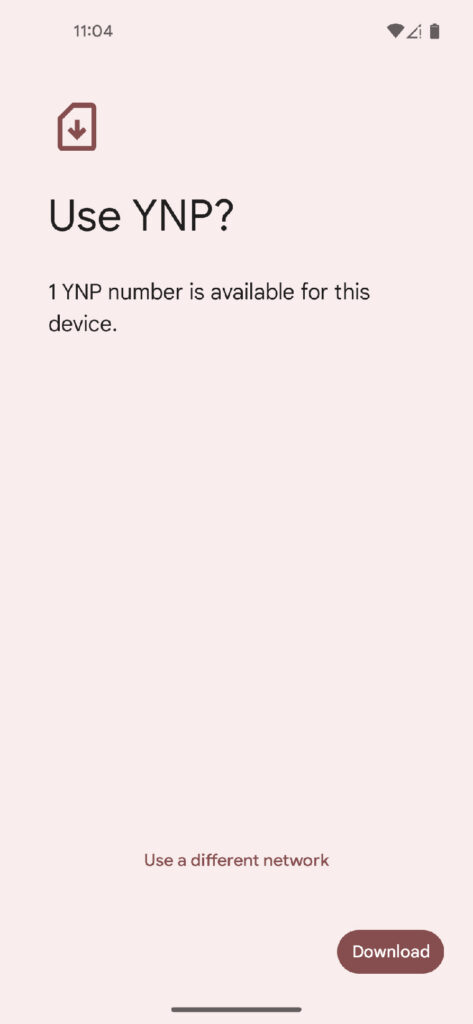
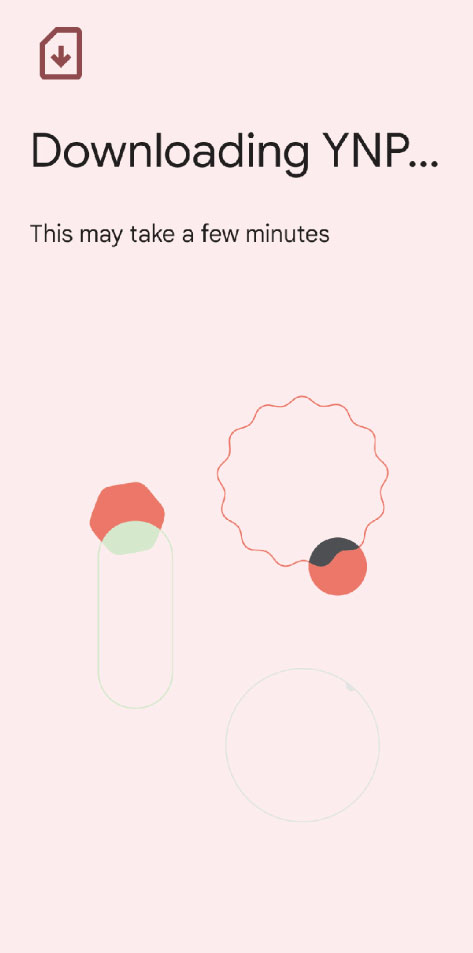
2. It can take up to 5 minutes for your phone to connect to the new network. Once the download is successful, you may also need to turn off and restart your phone.
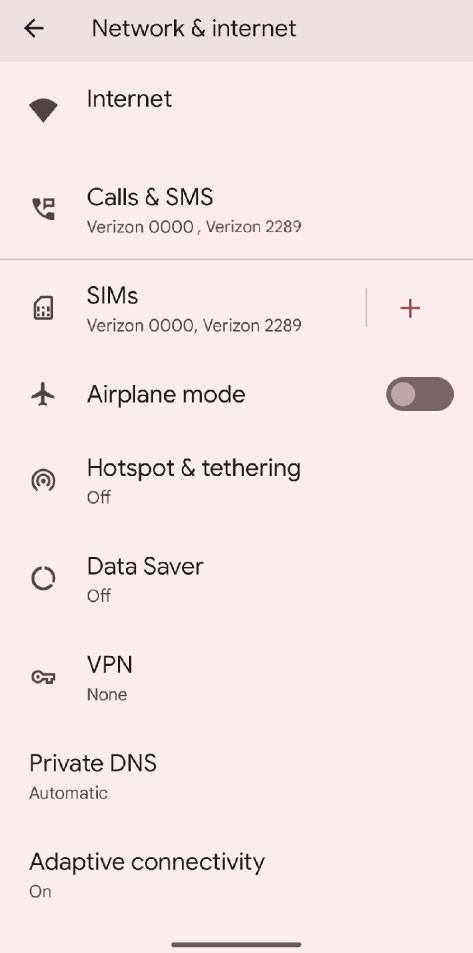
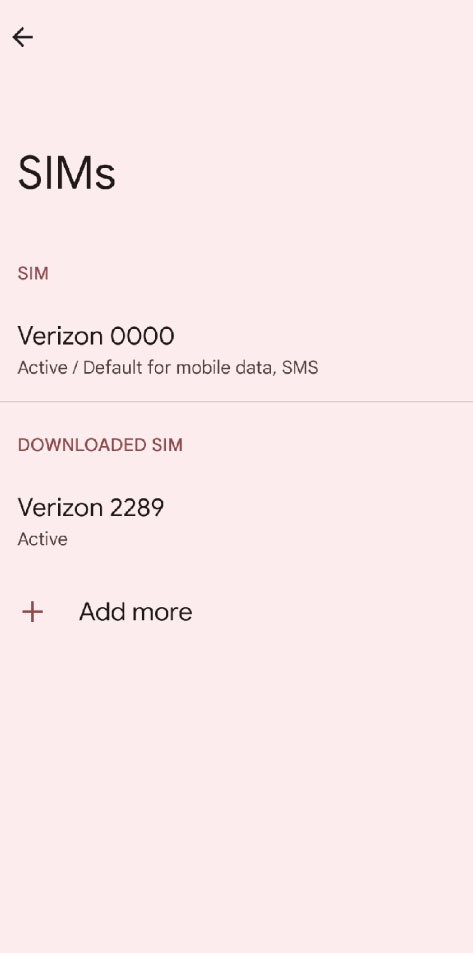
3. If you are adding an additional eSIM to your Android phone, go to Settings > Network and internet (on some phones this will be labeled as Connections) > SIMs or SIM manager.
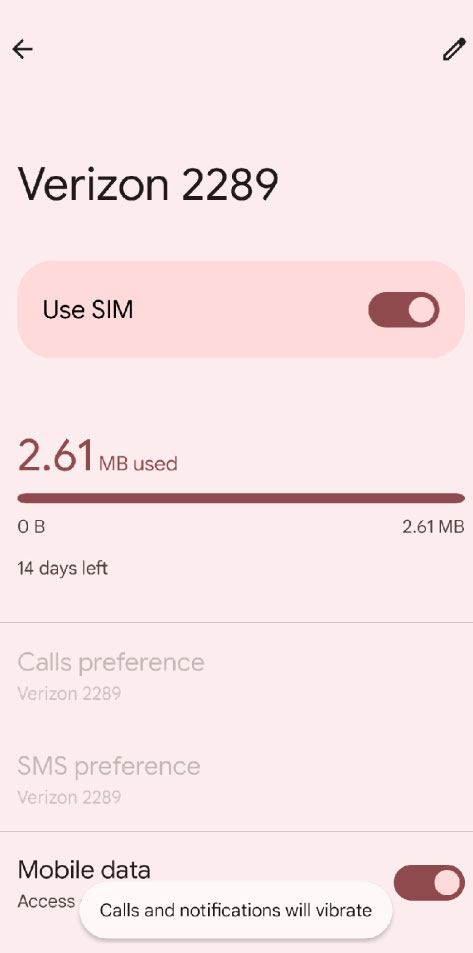
4. Note: This is also where you will turn on and off your SIMs if you have multiple on your phone, simply click onto each SIM and you will toggle the Use SIM on and off.
5. Select “Add more”.
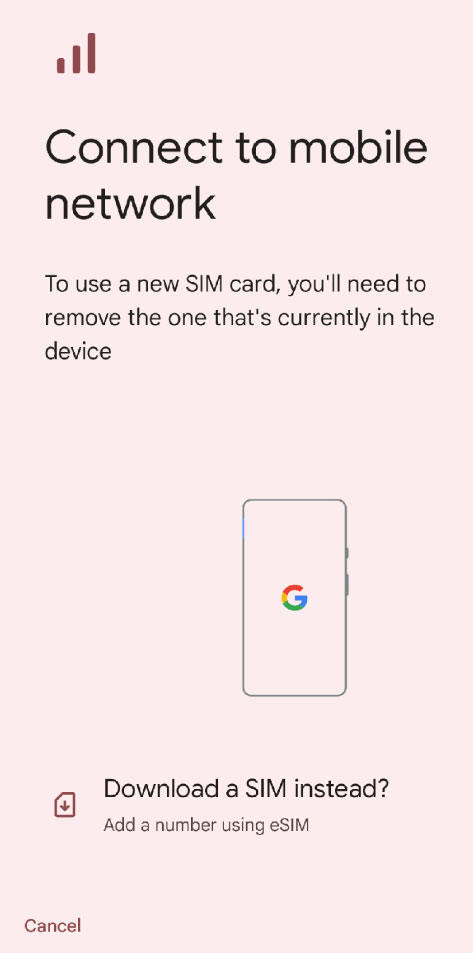
6. Then, you will click on “Download a SIM instead?”
7. Then tap on “Scan QR code”. The QR code can be found in your “Welcome to Silvercell” email that you received.
*Note* Some Androids do not need to scan the QR code and will receive the notification for activation automatically.
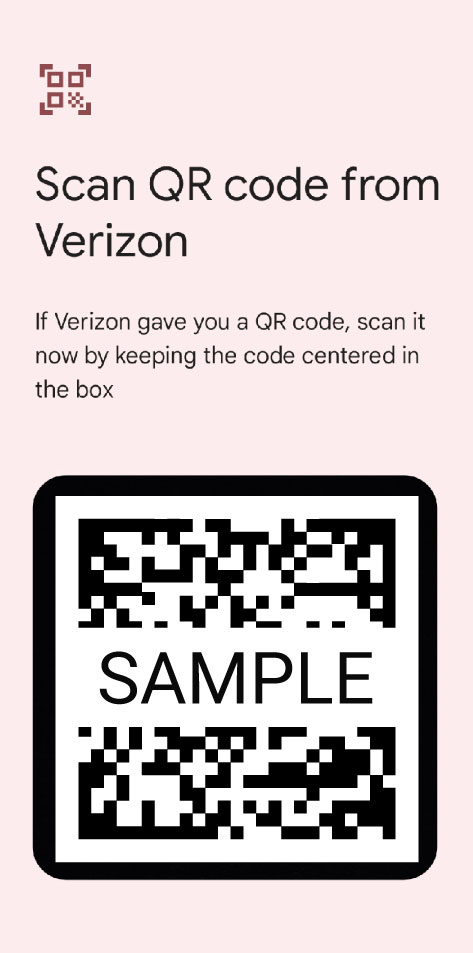
6. After you scan the QR code, you will follow the onscreen prompts. Follow these until your phone has finished activating and you are connected to the Silvercell network
7. Once your phone is fully activated, we suggest making a test call. Make sure that you are disconnected from Wi-Fi so that you can place the call using your newly activated eSIM.
*Once you are finished with your test call, don’t forget to turn back on your Wi-Fi.
If you need additional help, Silvercell’s 100% U.S. based live chat agents are available from 8am – 9pm CST Monday through Friday and from 10am – 6pm CST Saturday through Sunday (excluding holidays).
To chat with us, simply click on the red “Chat With Us” button in the lower right hand corner of your screen.
You can also click here to contact us and start a chat.