
July 13, 2026
Flip Phone vs Smartphone for Seniors – Which Is Best?
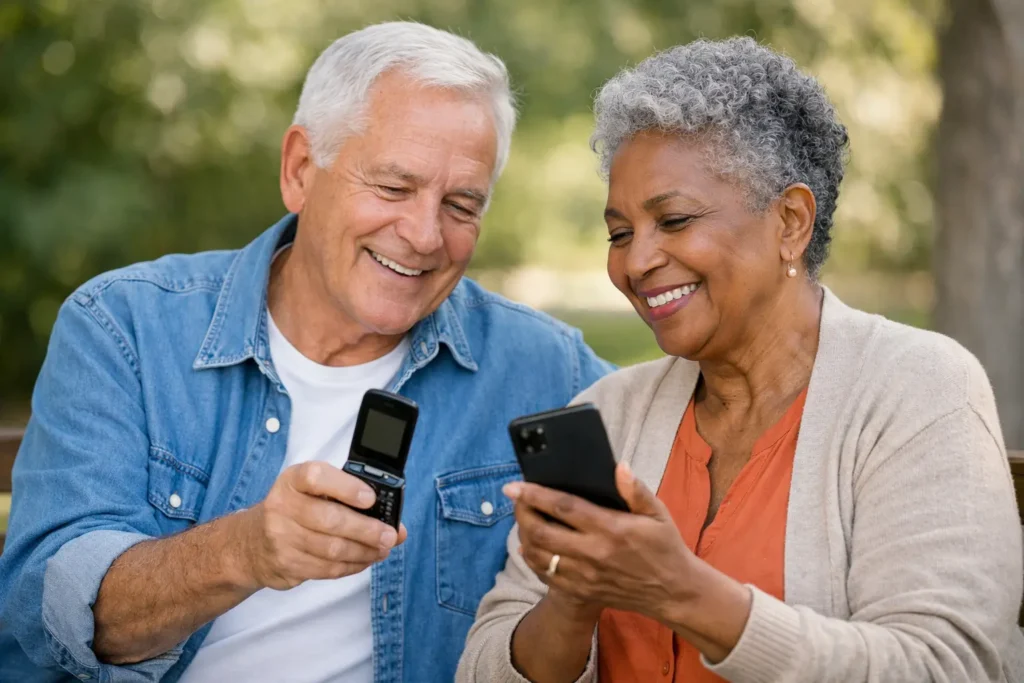
A phone should make life easier when a family member needs to reach you, a doctor’s office calls, or you need help on the road. Yet the flip phone vs smartphone seniors decision can feel bigger than it should. The right answer is not the phone with the longest feature list. It is the one you can use comfortably, hear clearly, and rely on when it matters.
For some older adults, a flip phone brings welcome relief from small icons, pop-up messages, and complicated menus. For others, a smartphone makes everyday tasks simpler by putting video calls, maps, photos, and helpful health tools in one place. Both can be excellent choices. What matters is matching the phone to the person, not asking the person to adapt to a phone that frustrates them.
Flip Phone vs Smartphone for Seniors: The Main Difference
A flip phone is usually built around calling and texting. Opening the phone answers a call, closing it ends the call, and physical buttons make dialing easy to understand. Many current flip phones also include a camera, Bluetooth, basic internet access, and an emergency call button. They are not necessarily old-fashioned. They simply keep the experience focused.
A smartphone uses a touch screen and can run apps for banking, navigation, video calls, news, music, shopping, and more. It can replace several devices at once. That flexibility is valuable, but it also means more settings, more notifications, and more opportunities to tap something by mistake.
Neither option is automatically better for every senior. A person who has never wanted a computer in their pocket may feel happier with a flip phone. Someone who regularly shares photos with grandchildren or uses online appointment portals may find a smartphone worth learning.
When a Flip Phone Is the Better Choice
A flip phone often works best when reliable calls are the main goal. Physical keys can be easier for people with reduced dexterity, arthritis, tremors, or vision changes. There is a reassuring feel to real buttons, and the raised keypad can help someone dial without looking closely at a screen.
The simple design also reduces distractions. A person does not have to sort through dozens of app alerts to find a missed call. Many flip phones have loud ringers, straightforward volume controls, and an outside display that shows the time or caller information without opening the phone.
Battery life is another practical advantage. Because a flip phone generally does less, it can often go longer between charges than a smartphone. That can be especially helpful for someone who forgets to charge devices every night or wants a dependable backup phone for errands and travel.
A flip phone may be the right fit if the user mainly wants to call, text a few close contacts, and have a phone available for emergencies. It can also be a thoughtful choice for a senior who feels anxious about technology. A phone that gets used confidently is more useful than a more advanced phone left in a drawer.
What to Watch for With Flip Phones
Not every flip phone is equally easy to use. Some have small buttons, low-quality cameras, or menu systems that still feel confusing. Before choosing one, look at the button size, screen brightness, speaker volume, and how easy it is to add contacts.
Texting can be slower on a numeric keypad, particularly for someone who sends frequent messages. Internet browsing is usually limited as well. If a person expects to use maps, receive photo messages, or join video calls often, a basic flip phone may eventually feel restrictive.
When a Smartphone Is the Better Choice
A smartphone can provide independence in ways a flip phone cannot. Large-screen models can make it easier to read messages, enlarge text, view photos, and see directions. Voice commands can let a user call a contact, set a reminder, send a message, or ask for the weather without typing.
For seniors who live alone, video calling can be especially meaningful. Seeing a grandchild’s face or checking in with a friend is different from hearing a voice alone. A smartphone also makes it easier to receive photos, access telehealth services when available, manage appointments, and use navigation in an unfamiliar area.
Smartphones can support accessibility needs, too. Most offer adjustable text size, screen magnification, hearing-device compatibility, speech-to-text, high-contrast display settings, and emergency features. These tools take a little setup, but they can make a significant difference once they are in place.
A smartphone is often a good choice for a senior who already uses a tablet, computer, or touch-screen device. Familiarity matters. If they enjoy looking at family photos, checking email, or learning new things, a smartphone may feel less like a burden and more like a useful daily companion.
What to Watch for With Smartphones
The trade-off is complexity. A touch screen does not provide the same physical feedback as buttons, and it is easy to dismiss a message or open an unfamiliar app accidentally. Frequent software updates can also change the look of a screen that the user just learned.
Battery life requires more attention, especially when the phone is used for streaming, maps, or video calls. A smartphone may also cost more upfront, and data use becomes more important when choosing a monthly plan. The goal is not to avoid smartphones, but to set one up thoughtfully and keep the plan simple.
Consider the Person’s Routine, Not Their Age
Age alone does not decide whether a flip phone or smartphone is appropriate. An active 82-year-old who uses video chat every week may be better served by a smartphone than a 65-year-old who only wants a clear way to call family. Start with daily habits and comfort level.
Think about how the phone will be used on an ordinary week. Does the person need directions to appointments? Do they text photos? Would a one-touch emergency contact be reassuring? Do they have trouble seeing small print, hearing calls, or remembering charging routines? Honest answers to these questions are more useful than a salesperson’s recommendation.
Family members can help, but the senior should be part of the decision. A phone chosen only because it seems simple to someone else can feel limiting or confusing to its actual owner. If possible, let them hold the phone, press the buttons, read the screen, and try making a call before committing.
The Service Plan Matters as Much as the Phone
Even the easiest phone becomes frustrating when the wireless plan is hard to understand. Seniors should look for clear monthly pricing, dependable coverage where they live and travel, and support from a real person when activation or troubleshooting is needed.
If keeping an existing number is important, ask whether the provider can help with number porting and phone compatibility before service begins. This can prevent a stressful surprise after the new phone arrives. It also helps to choose a plan based on real use. A person who mostly calls and sends a few texts should not be pushed into paying for far more than they need.
At Silvercell, the focus is on making those steps easier with straightforward plans and U.S.-based support trained to assist older adults. Whether you choose a flip phone or smartphone, patient help can make the transition far less intimidating.
Set Up the Phone for Confidence
A few minutes of setup can turn a good phone into a much better one. Add favorite contacts, including family, neighbors, doctors, and emergency contacts. Make sure the ringer is loud enough to hear, increase text size if needed, and choose a simple lock method that the user can remember.
For a smartphone, remove unnecessary apps from the main screen and place the most-used ones where they are easy to find. Turn on useful emergency settings and show the user how to charge the phone, answer a call, and call for help. For a flip phone, practice opening it, making a call, checking voicemail, and sending a basic text.
Write down a few simple instructions near the charging spot if that provides peace of mind. The goal is not to teach every feature on day one. Start with the features that matter most, then add more only when the user is ready.
The best phone is the one that feels dependable in your hand and familiar when you need it. Choose the device that supports the life you want to live, then give yourself permission to keep things simple.
Still need help?
Our 100% US-based team provides patient support through online chat.