
October 26, 2026
Activation Help for Older Adults, Made Simple
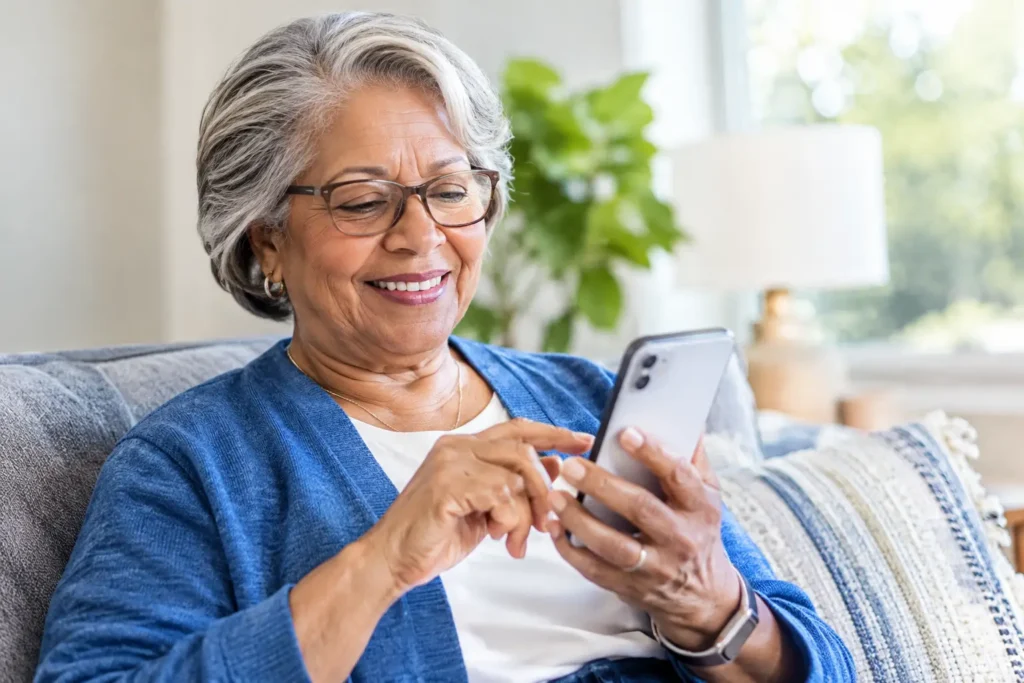
A new phone plan should not begin with a confusing screen, a string of codes, or hours spent wondering whether you pressed the right button. Activation help for older adults means having clear instructions, enough time to follow them, and a real person available when something does not go as expected.
For many people, switching mobile service is less about technology than confidence. You may want a simpler plan, better value, or more dependable support, but still worry about losing your phone number or being unable to use your phone afterward. The good news is that activation is usually a short process when a few details are ready ahead of time.
What phone activation actually does
Activation connects your phone, your phone number, and your wireless plan to the carrier’s network. Once it is complete, your phone should be able to make calls, send and receive texts, and use mobile data when you are away from Wi-Fi.
If you are keeping your current phone number, activation may also include transferring that number from your former carrier. This is often called number porting. It sounds technical, but it simply means moving your existing number to your new service so friends, family, doctors, and other important contacts can still reach you the same way.
The process can look different depending on whether you are bringing your current phone or starting with a new one. In either case, the goal is the same: get you connected without unnecessary steps or surprise charges.
Before activation, gather a few details
A little preparation prevents most delays. Keep your current phone nearby, along with any new phone or SIM card you received. A SIM card is the small chip that helps identify your phone on the network. Some newer phones use an eSIM instead, which is built into the device and can be set up digitally.
If you are transferring your number, do not cancel your old service first. Your old account generally needs to remain active until the number transfer is finished. Have your current carrier’s account number and transfer PIN available. These are not always the same as the password you use to sign in to your account.
You may also need the phone’s IMEI number, especially if you are bringing a device you already own. This unique number helps confirm compatibility. It can often be found in the phone settings, on the original box, or by dialing *#06# on many phones. If that sounds like more than you want to manage, support should be able to explain where to find it.
Activation help for older adults starts with the right choice
There is no single best activation method for everyone. Some customers feel comfortable following a few prompts on a phone or computer. Others prefer to speak with a patient support representative who can stay with them through each step. Neither approach is better. The right one is the one that leaves you feeling certain your phone is working.
A self-guided setup can be convenient when you have your account information ready and your phone is familiar. It may take only a few minutes. However, if you are transferring a number, using a new type of phone, or feeling unsure about any instruction, live help can save frustration.
With a senior-focused provider such as Silvercell, activation assistance is designed to be part of the service experience, not an obstacle course. A knowledgeable U.S.-based support team can help confirm phone compatibility, explain the number transfer process in plain language, and help you test your service after setup.
A calm, step-by-step activation process
Once you have the needed details, begin in a quiet place where you can give the process your attention. Make sure your phone is charged. If you use a new physical SIM card, insert it carefully according to the phone’s instructions. The card only fits one way, so never force it.
Next, follow the activation instructions provided with your service. You may be asked to enter the SIM card number, your phone’s IMEI, or information for your number transfer. Read each screen slowly. If a question is unclear, stop and ask rather than guessing. A wrong account number or transfer PIN can delay a number transfer, but it can usually be corrected.
After activation is submitted, restart the phone if you are instructed to do so. Then make a test call to someone you trust, send a text message, and check that you can receive a call. If your plan includes mobile data, turn off Wi-Fi briefly and open a simple webpage or app to confirm the connection works.
Do not worry if a number transfer is not immediate. Many transfers finish quickly, but timing can vary based on your former carrier and the information submitted. During that time, your old phone may continue working until the transfer is complete. That is normal.
Common activation problems and simple fixes
Most activation issues have straightforward causes. A phone that shows “No Service” may simply need to be restarted. It may also need a little time to connect after activation. If you inserted a physical SIM card, make sure it is seated properly in the tray.
If your number transfer is delayed, check the account number and transfer PIN from your previous provider. A billing ZIP code mismatch can also cause a problem. Keep in mind that your name and address should match the details on the old account. Support can tell you which information needs to be reviewed without asking you to sort through technical terms alone.
A phone that cannot make calls but can send texts may need a network setting checked. A phone that works at home but not elsewhere may be connected to Wi-Fi rather than cellular service. These are fixable issues, and you should not feel pressured to solve them by trial and error.
Ask for help before frustration takes over
Good activation support is not just for emergencies. It is there to help you start service with confidence. Call for assistance if you are unsure whether your phone is compatible, do not know how to locate an account number, have trouble placing the SIM card, or are concerned that your number transfer has taken too long.
When you call, keep your phone and paperwork in front of you. If possible, have a pen and paper ready to write down any steps. It can also help to ask the representative to pause between instructions. A support team should respect that request. Clear communication matters more than rushing through a script.
Family members can be helpful too, especially when they are assisting with account details or a new device. Still, the best setup leaves the phone owner comfortable using the basics independently: answering calls, checking voicemail, texting, charging the phone, and knowing whom to contact for help.
After activation, make the phone easier to use
The first few minutes after your phone is active are a good time to make it feel more familiar. Add important contacts, such as family members, health care offices, neighbors, and your pharmacy. Adjust the text size, screen brightness, and ring volume so calls and messages are easier to notice.
It is also wise to practice a few everyday tasks while help is available. Place a call, listen to voicemail, send a short text, and find the charger. If your phone has emergency features, learn how they work before you need them. Small practice now can make a big difference later.
A phone plan should make staying connected easier, not give you another problem to manage. Take activation one clear step at a time, keep your old service active until your number moves, and ask for patient help whenever you need it. The right support turns a new phone service into something reassuring: a dependable way to reach the people who matter.
Still need help?
Our 100% US-based team provides patient support through online chat.